NTTAROT / STORAGE
Keep your records in your hands
Start with local storage, sync through OneDrive, Dropbox or Google Drive, create and restore backup ZIPs, and use NTTarot as an installed app.
Begin without connecting an account and add sync when you need it. Choose your storage and keep a separate backup.
Select an image to view the actual screen at full size. Screens show the Japanese interface; English is also available in app settings.
STEP 01
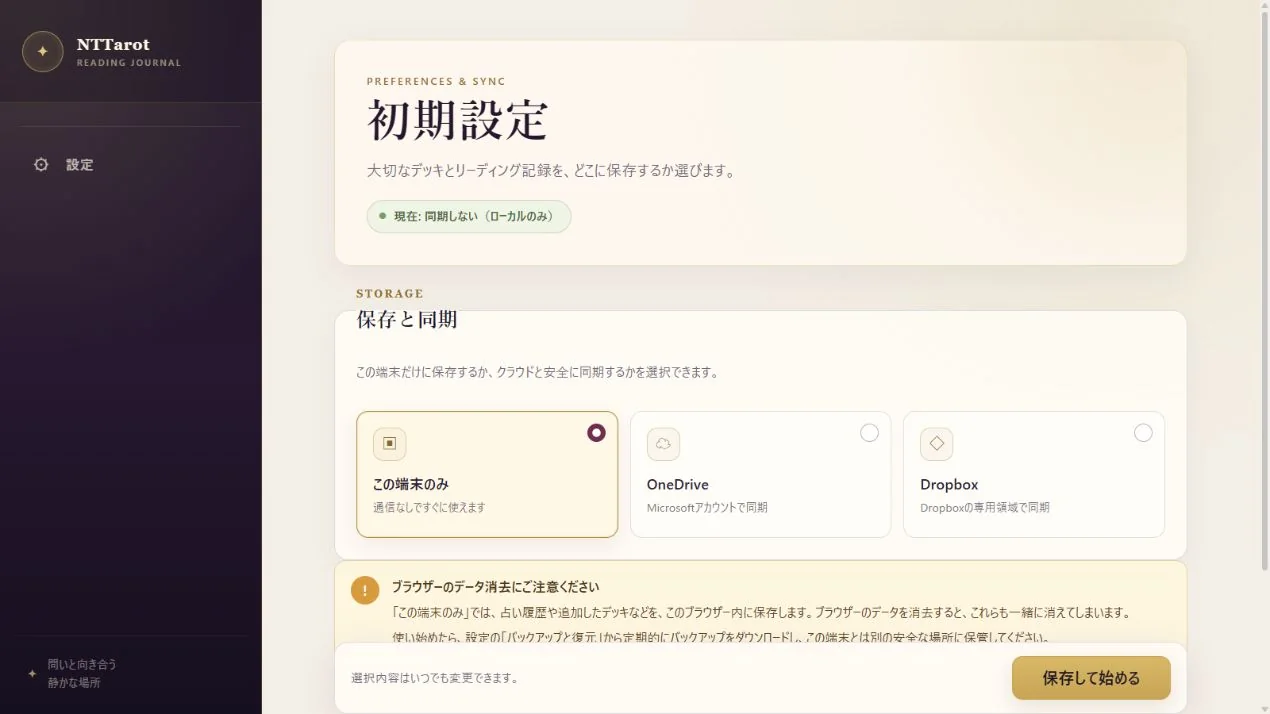
Begin with ‘This device only’
Choose ‘This device only’ during setup to begin without connecting a cloud account. Your decks, spreads and readings are stored in this browser on this device.
- Select ‘This device only’ in setup, then save and start.
- Use the save controls in each screen to keep readings and edits.
- Create a backup ZIP before clearing browser data or replacing the device.
STEP 02
Connect devices with cloud sync when needed
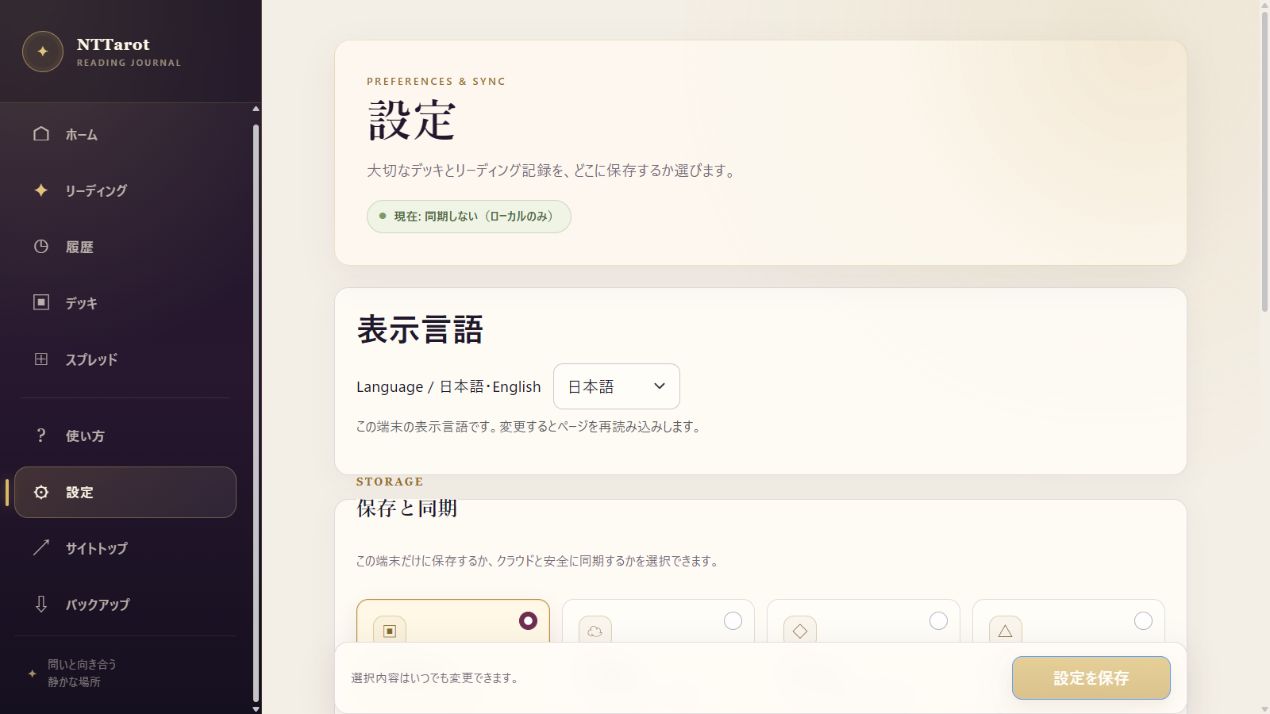
OneDrive, Dropbox and Google Drive are supported. Sync is useful for reading on a phone with a deck you edited on a computer. Change the provider later in Settings.
- Choose a provider in Settings › Storage and Sync and connect your account.
- Check sync status. On the other device, connect the same provider and account.
- If the same data changes on both devices and a conflict occurs, review it and choose the version to keep.
STEP 03
Keep a ZIP backup and restore when needed
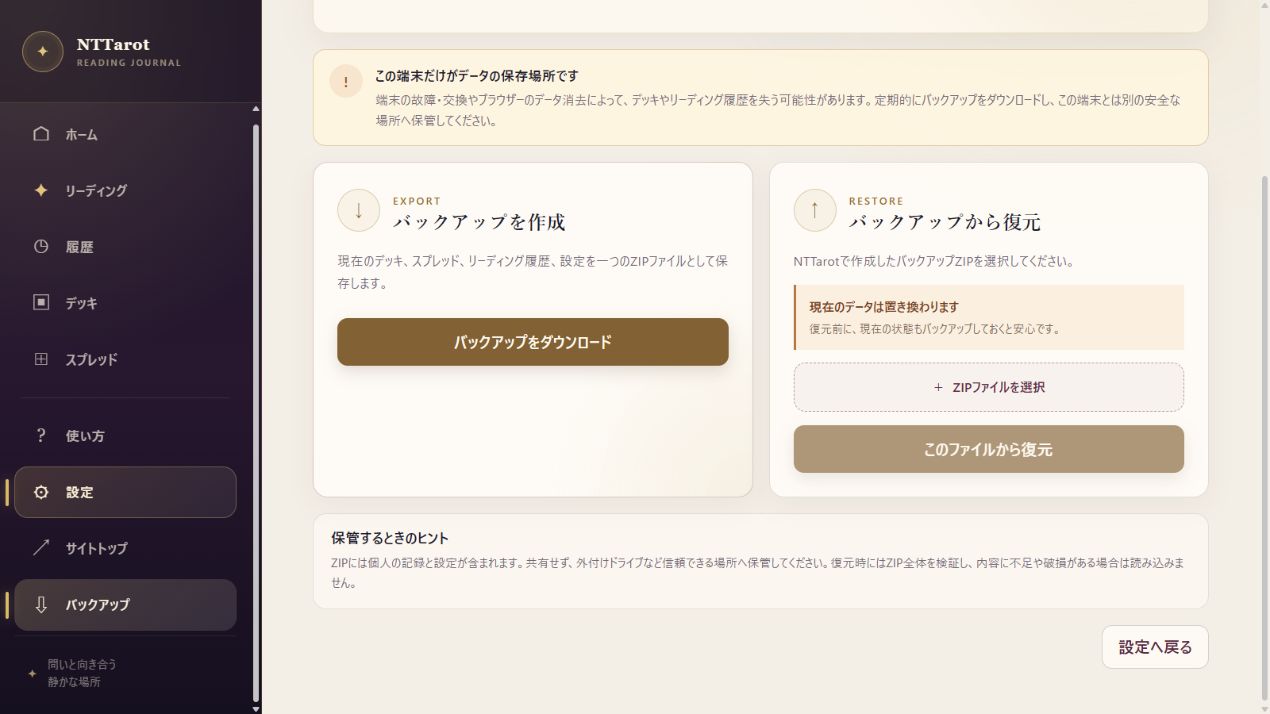
Backup and Restore saves your decks, spreads, records and settings in one ZIP. Even with cloud sync, keep a copy before major edits or a device transfer.
- Open Backup and Restore in Settings, or Backup in the menu.
- Download a backup and keep a copy in a safe location separate from this device.
- To restore, select the ZIP and review the on-screen notice before proceeding. Current data is replaced with the backup's contents.
QUICK ANSWERS
Common questions
Can I install it as an app?
Use a supported browser's install prompt or Add to Home Screen. This adds a way to launch the app. See the first-reading guide for device-specific steps.
Does cloud sync replace ZIP backups?
Sync shares changes and deletions across devices. Keep ZIP backups of important records for recovery or migration.
EXPLORE MORE