NTTAROT / HISTORY
Keep the result and the thoughts behind it
Save questions, cards, notes and related readings. Revisit them through monthly records, search and favorites.
Return to both the question and your interpretation. Notice recurring cards and how your perspective changes.
Select an image to view the actual screen at full size. Screens show the Japanese interface; English is also available in app settings.
STEP 01
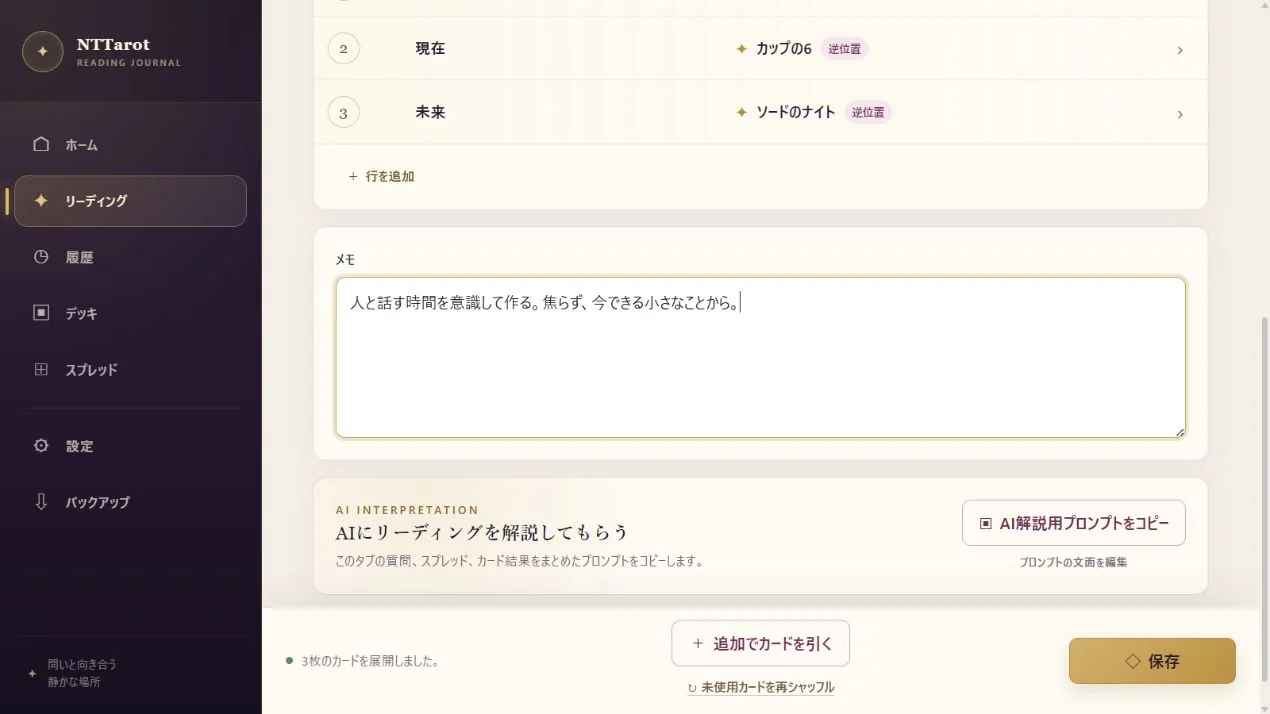
Save your interpretation with a note
First impressions are easy to forget. You do not need a polished interpretation: note an image that caught your attention or something you want to try next week.
- Write your impressions and reflections in the result screen's note field.
- Check that the question and position labels reflect what you asked. Add notes to related readings too.
- Choose ‘Save’ at the bottom of the screen. Make sure a reading you want to keep is saved before closing it.
STEP 02
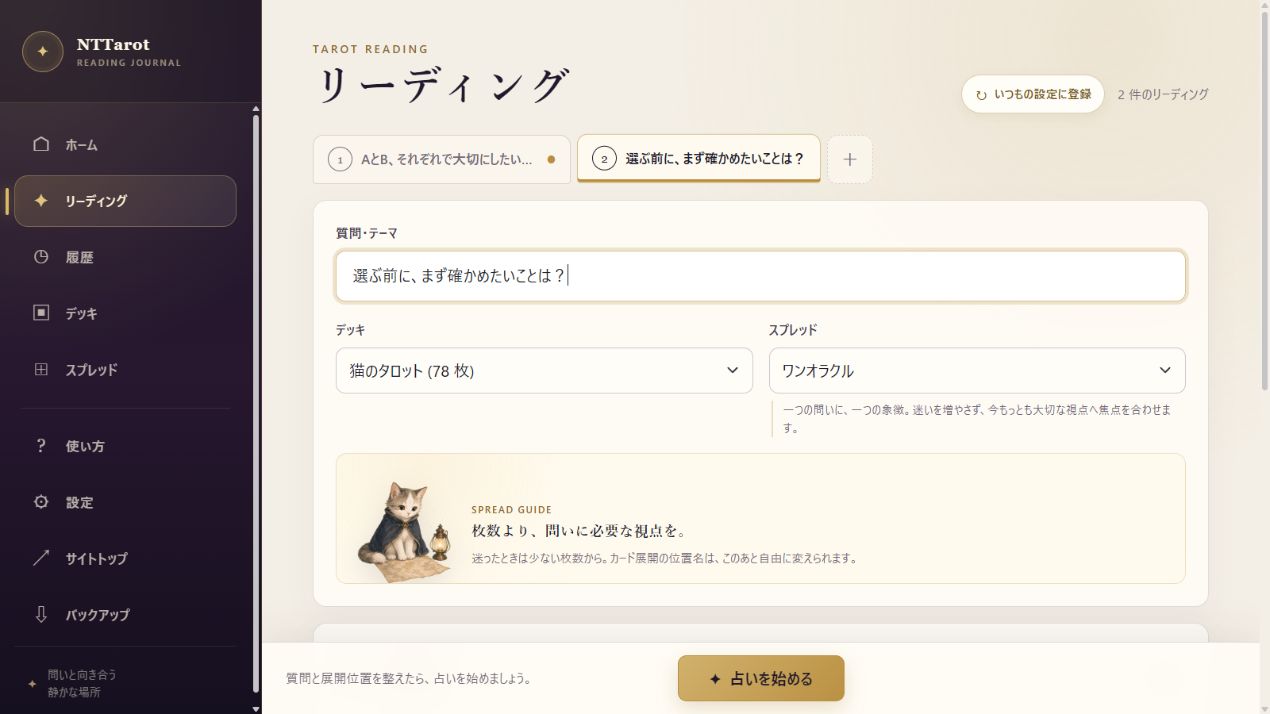
Keep related questions together
One question can lead to several more. Related reading tabs let you save the first spread and the next questions together.
- Add a related reading from the result screen and enter the next question.
- Switch tabs to view each set of cards and notes. You can use a different deck or spread.
- Save the group. Reopen it from the archive to move between the related spreads.
STEP 03
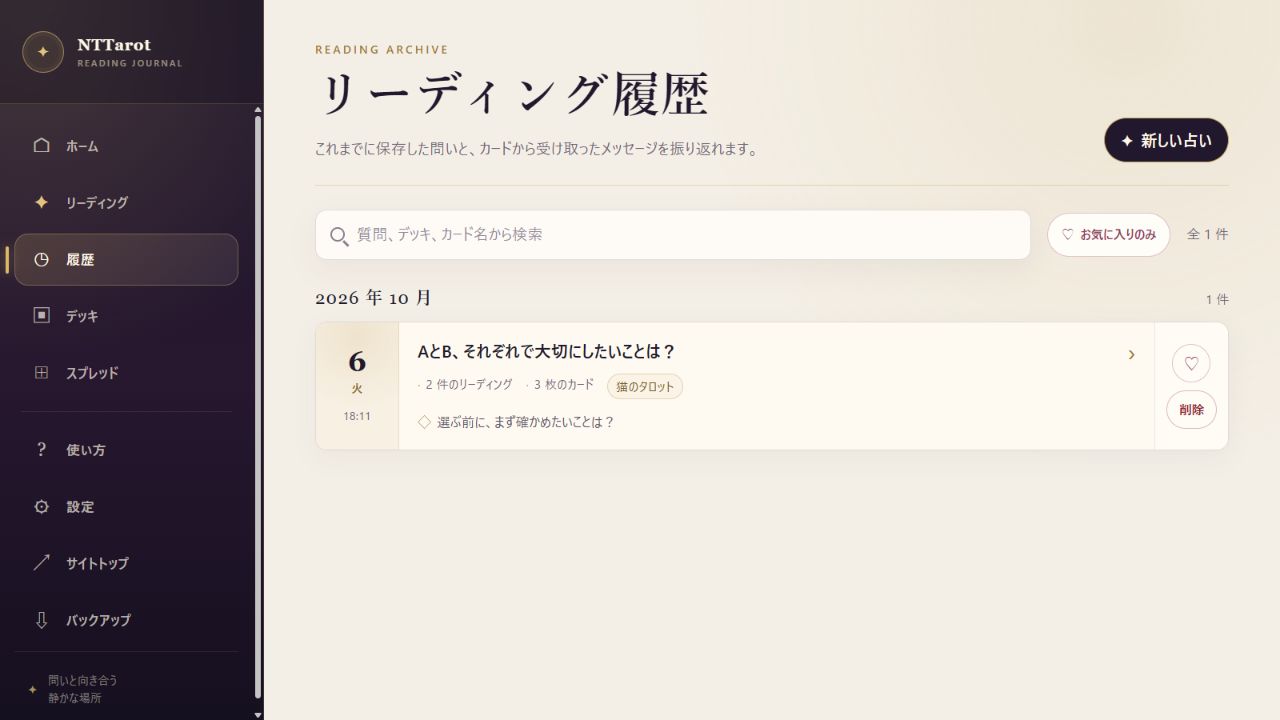
Find a record and revisit your insights
The archive groups saved readings by month. Search by question or card as well as browsing dates to find a reading about a similar situation.
- Open History, or Reading Records on Home.
- Search by question, deck or card name. Mark useful records as favorites and filter with ‘Favorites only’.
- Open a record and compare your earlier note with how you feel now. Notice how the same card reads differently in a different question or position.
QUICK ANSWERS
Common questions
Do later deck edits change past records?
Past records keep snapshots of their decks and spreads, so you can revisit the original reading.
Can I view records on another device?
Use supported cloud storage sync or transfer a backup ZIP. See Storage, Sync and Backup for the steps and precautions.
EXPLORE MORE