NTTAROT / READING
From your question to your reading
Choose Tarot or Lenormand, shuffle, explore the illustrated spread, open card meanings and share results. Learn to read your first cards in your own words.
Set your own question and position meanings. Start with the images and consult the explanations whenever you need them.
Select an image to view the actual screen at full size. Screens show the Japanese interface; English is also available in app settings.
STEP 01
Choose a question and your cards
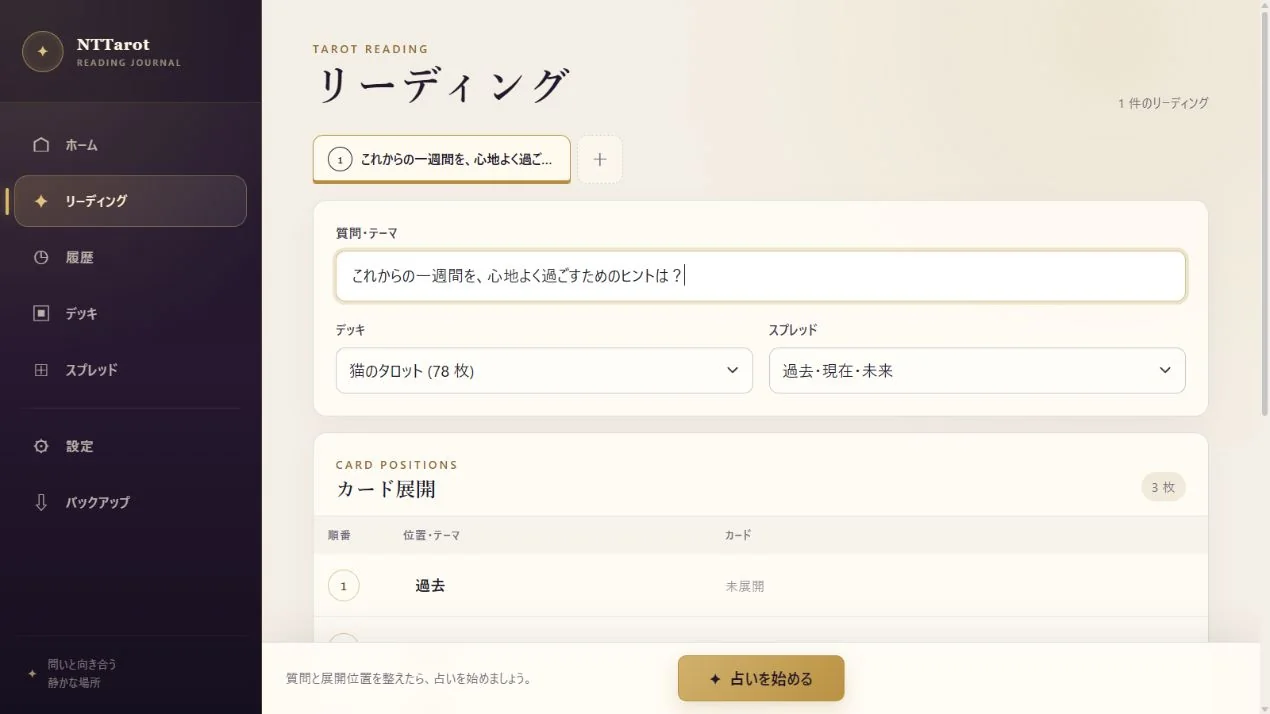
Begin with whatever you want to explore. Try a specific question such as ‘What should I keep in mind at work next week?’ or leave it blank while you find the words.
- Open ‘Start a reading’ on Home, or ‘Reading’ in the menu.
- Enter your question and choose a deck, such as the 78-card Cat Tarot or 36-card Cat Lenormand.
- Choose a spread that fits your question: One Oracle for one card, or Past–Present–Future for three perspectives. Check the position names too.
STEP 02
Shuffle at your own pace
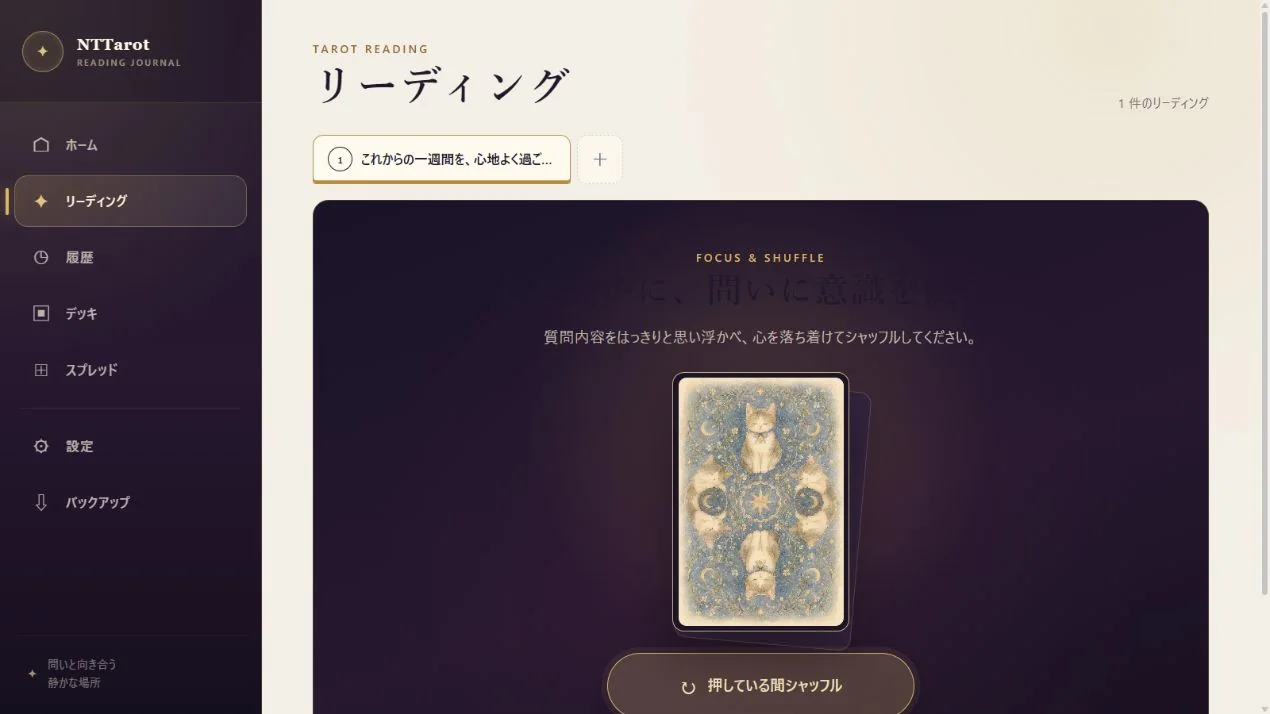
Once your deck and spread are ready, start the reading. Touching the deck to shuffle gives you a moment to focus before the cards appear.
- Keep touching the deck, or hold the mouse button down.
- Release when you feel ready and let the deck settle.
- Tap the settled deck to lay out the cards. Use ‘Skip animation’ when you want to see the result immediately.
STEP 03
Move between the whole spread and each card
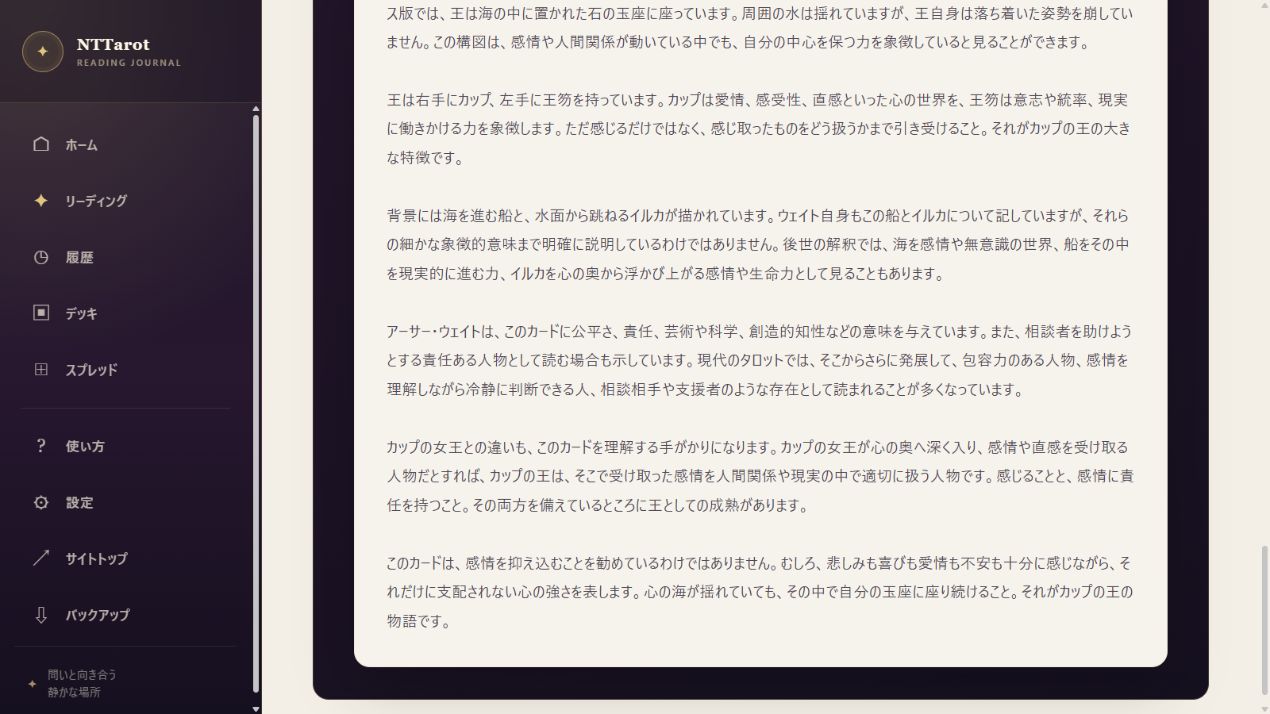
Results include a visual spread and an illustrated list. Notice your first impression, then bring the position meaning and the card explanation together.
- Look over the spread to see which card appears in each position.
- Select a card image or name to see keywords, upright or reversed meanings and advice. Move to the previous or next card from the detail view.
- On a phone, open ‘View spread’. Pinch or use the mouse wheel to zoom, and swipe or drag to pan.
STEP 04
Share the parts of a result you want to show
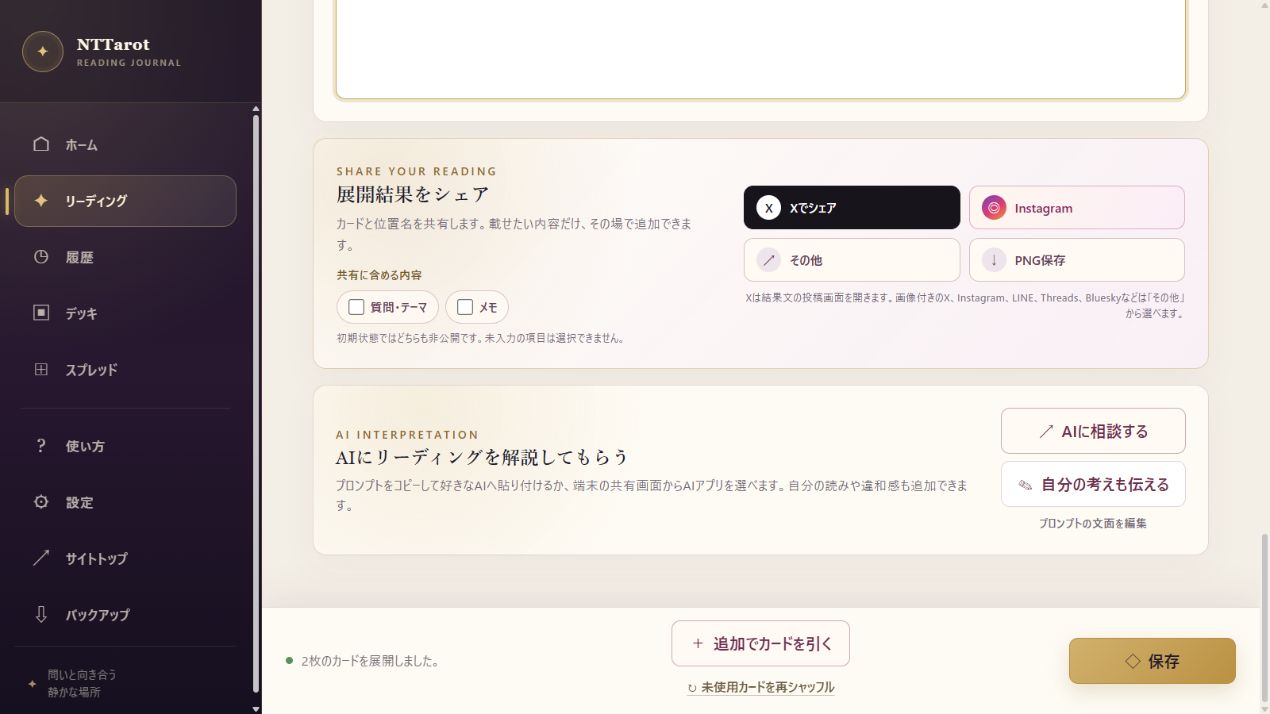
Use Share Your Reading to share the cards and position names or save an image. Questions and notes are excluded by default; choose the ones you want to add.
- Check whether you want to include the question or note.
- Use Save PNG to keep an image, or Share on X to open a post draft with the result text.
- Where supported, use Other to choose a destination in your device's share interface. Review the content there before posting.
QUICK ANSWERS
Common questions
Can I use it without knowing Tarot?
Yes. Start with a built-in deck and spread, then explore the images and explanations. The site also offers Tarot Basics and Card Meanings.
Can I read Lenormand in the same app?
Yes. The built-in Cat Lenormand has 36 cards. Choose it in the deck selector.
EXPLORE MORE