NTTAROT / AI
Bring your own reading to another perspective
Create an AI prompt from your cards, add context, your interpretation and questions, and customize the instructions.
Spend less time transcribing cards and bring your own thoughts into the conversation. Choose the AI service you want to use.
Select an image to view the actual screen at full size. Screens show the Japanese interface; English is also available in app settings.
STEP 01
Turn the cards into a prompt
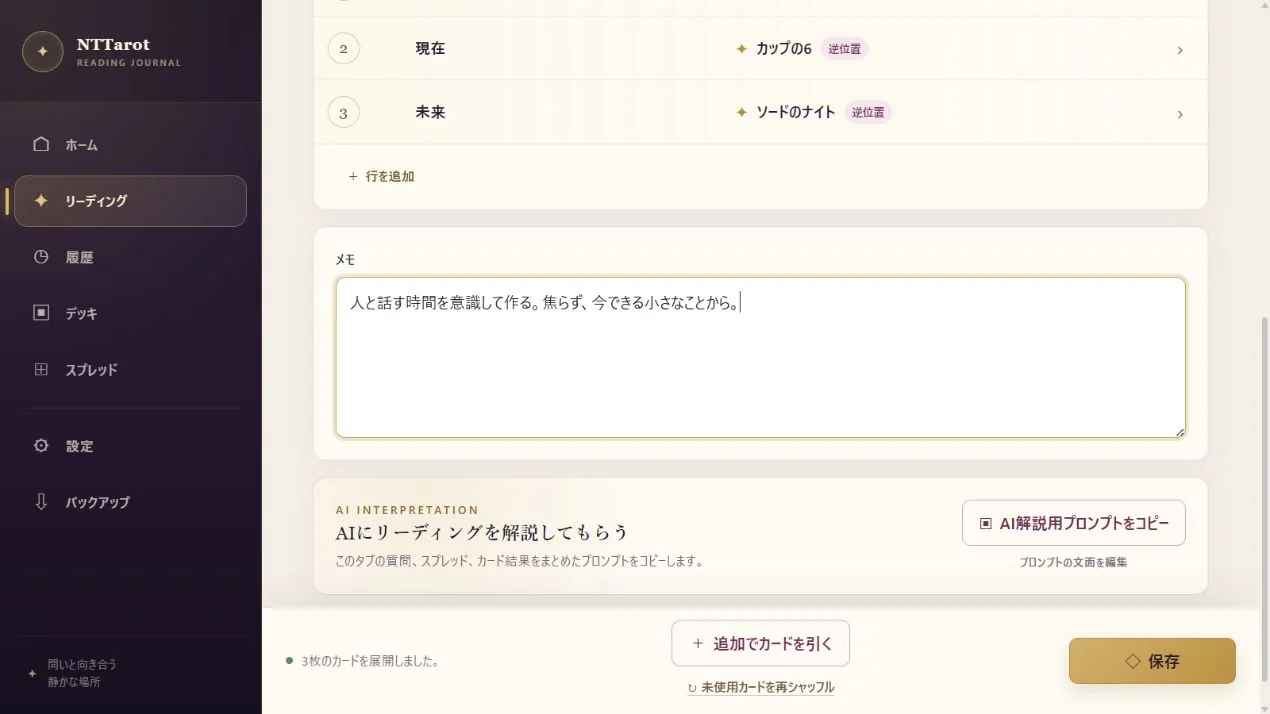
Create a prompt containing the question, positions and cards from your result. NTTarot prepares the text; you receive the answer in the external AI service you choose.
- Open ‘Consult AI’ on the result screen.
- Review the output and choose whether to include card explanations.
- Copy and paste into your AI service, or use sharing where supported. Record useful insights in the reading's note.
STEP 02
Add context, your interpretation and what feels unclear
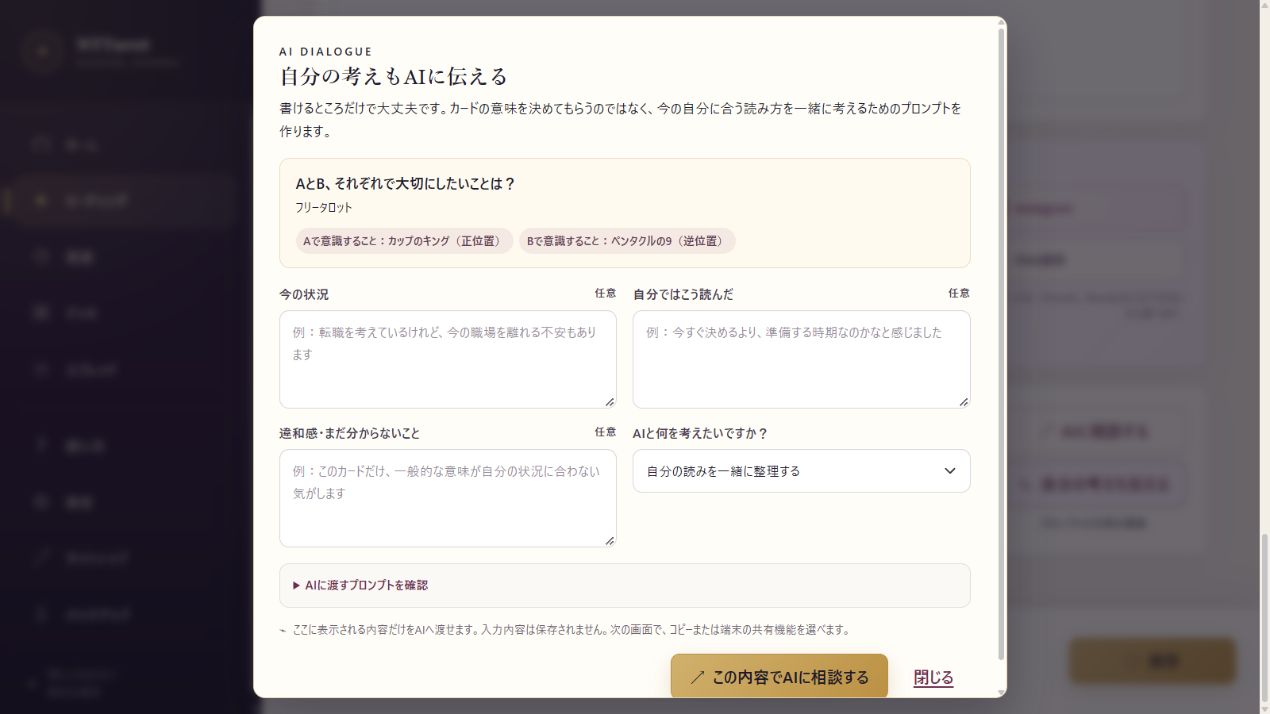
Adding the situation, your own interpretation and what feels unclear helps you express what you want to discuss. Start from your reading and explore another perspective or question.
- Open ‘Include my thoughts’ and describe the situation as much as needed.
- Write your interpretation and uncertainties. You can also bring an existing note into your interpretation.
- Select the conversation goal, review the preview, then copy or share it.
STEP 03
Customize your usual instructions
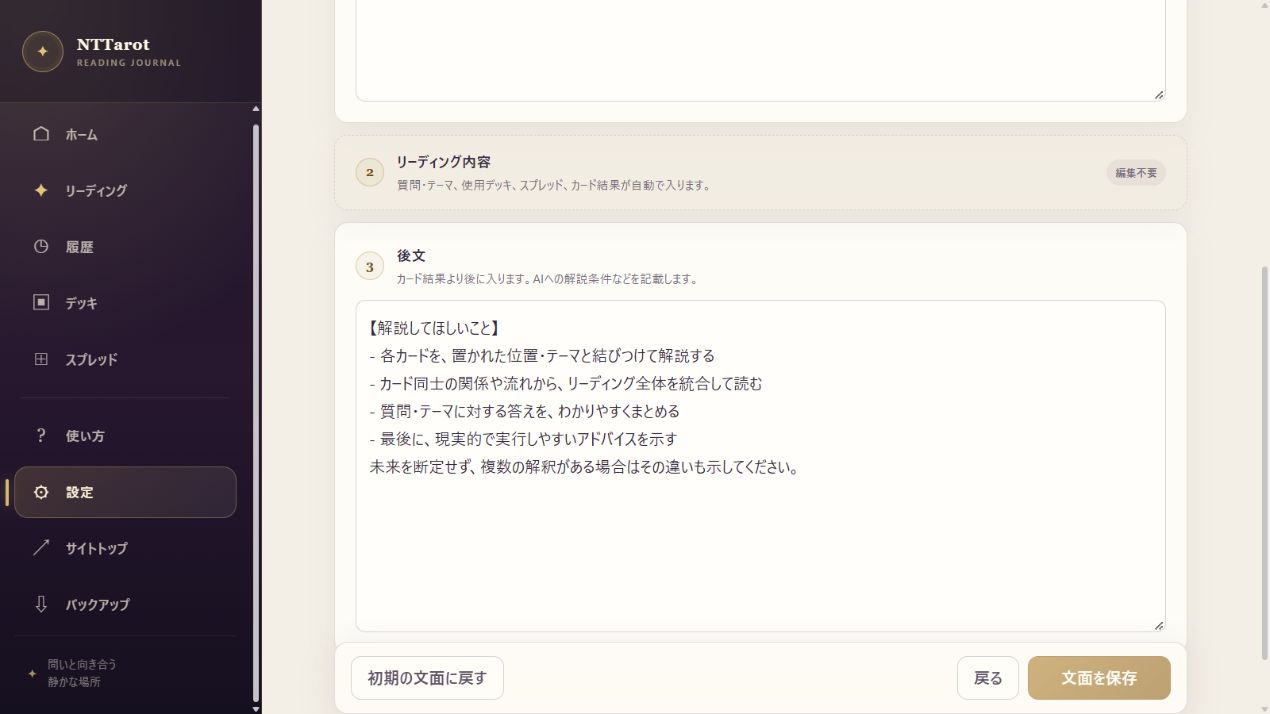
In AI Prompt settings, edit the text placed before and after the reading content. Ask for a concise response or suggestions for a next question, in a style that works for you.
- Open AI Prompt from Settings.
- Edit the prefix and suffix. The question and cards are inserted automatically in between.
- Save the instructions for future prompts. You can return to the default text when needed.
QUICK ANSWERS
Common questions
Does the AI answer inside NTTarot?
No. NTTarot creates the prompt. Copy or share it to the external AI service you choose.
Can I read without AI?
Yes. Drawing, card explanations, notes, saving and records all work without AI.
EXPLORE MORE